Your practice runs on standards — or it runs on you

Office Automated is where you write down how your office should run, train your team to it, hold them to it, and measure whether it's happening.

  • One platform
  • One login per employee
  • One flat rate
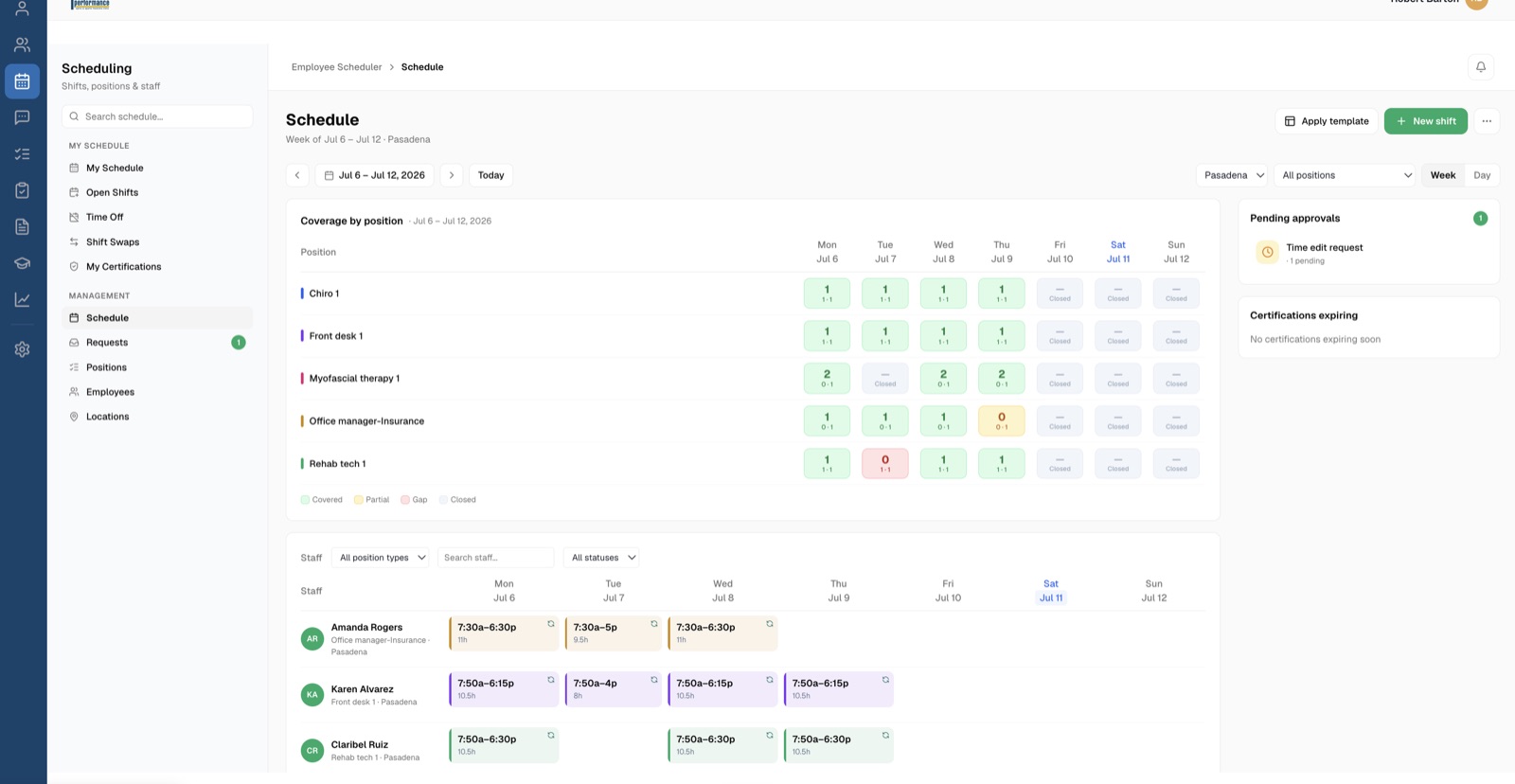
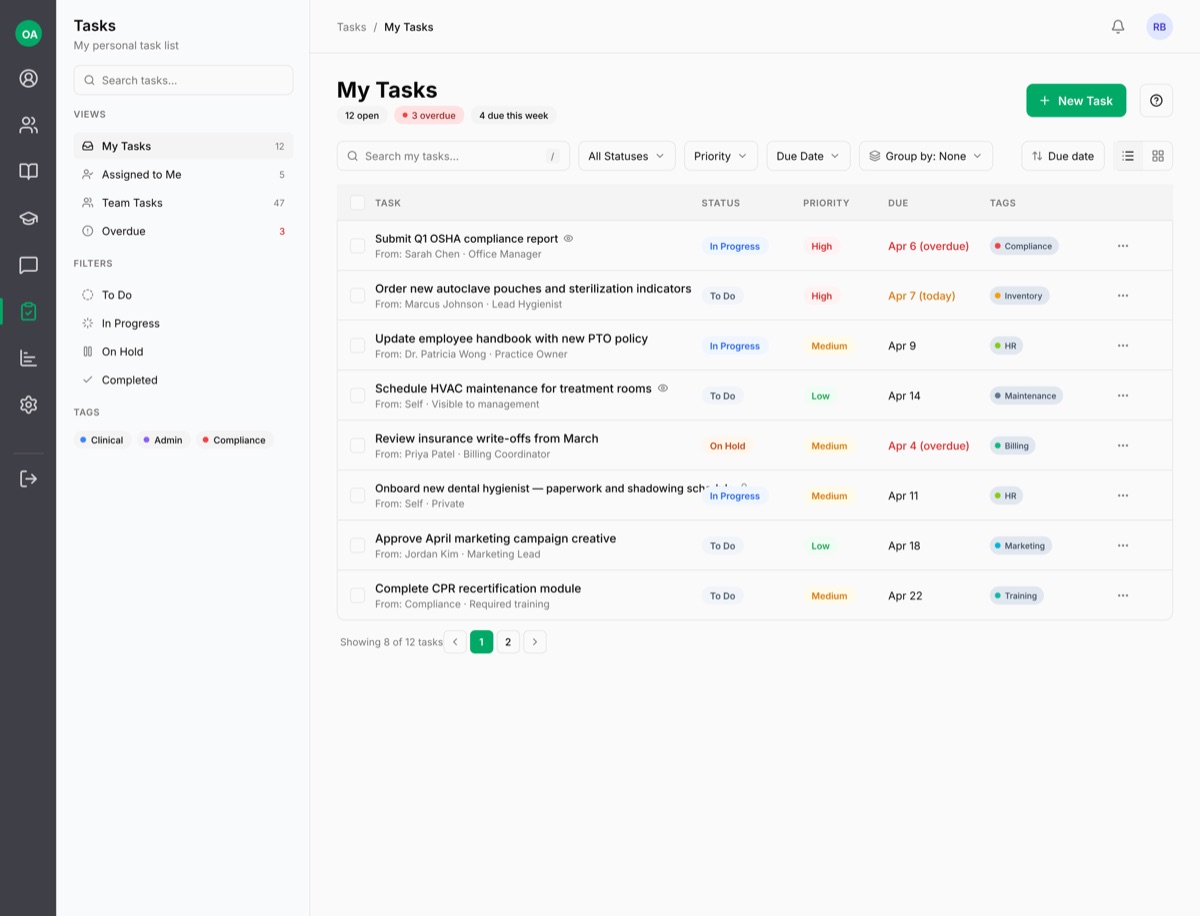
Statistics dashboard Daily checklists Office manual Scheduling Task manager
Goals, thresholds, and trends — at a glance.
The problem

Right now, your standards live in someone's head.

Training happens shoulder-to-shoulder, differently every time. The office manual is a binder nobody opens or a Google Doc nobody updated since the last office manager. When your best employee leaves, the standard walks out the door with them — and you start over with the next hire.

The tools that promise to fix this are five different subscriptions, five different logins, each one billed per employee, per month.

Five logins. Five invoices. And your office manual still isn't written.
Training platform $ per employee / mo
Scheduling app $ per employee / mo
Time clock $ per employee / mo
Team chat $ per employee / mo
Document storage $ per employee / mo
How it works

Everything in Office Automated does one of three jobs.

1

Set the standard

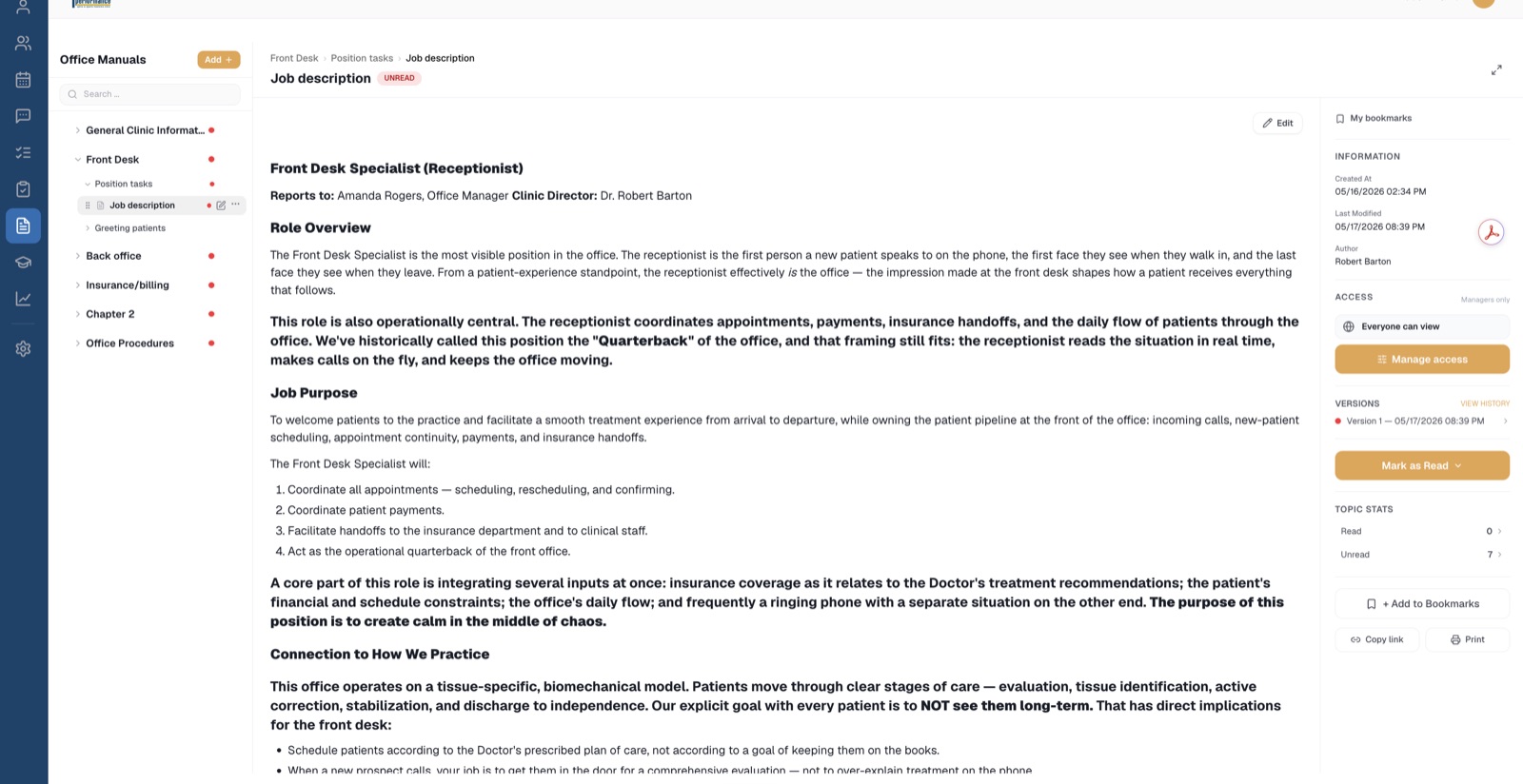
Write your office manual once — chapters, sections, topics, with photos and video — and it stays current, versioned, and searchable. Build training courses with video lessons and tests, or assign ready-made ones. Define every position's daily checklist: what gets done in the morning, midday, and before close.

Book a Demo →
Office manual — real topic with read tracking
Procedures written once, followed by everyone.
2

Hold your team to it

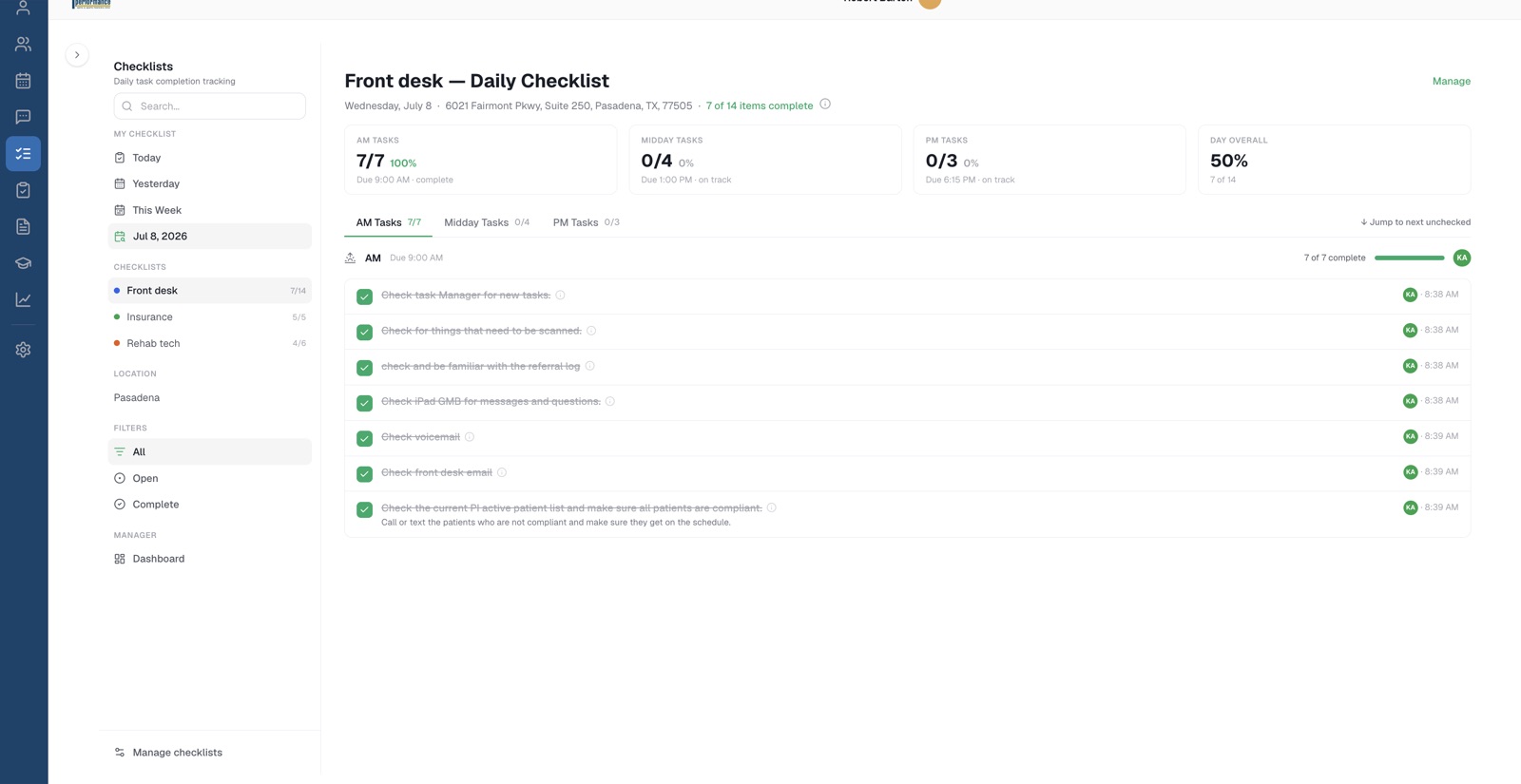
When someone reads a policy, it's on record — and when you change the policy, everyone's marked unread until they've read the new version. Passing a course earns a certification, automatically, with expiration tracking. Checklists record who did what and when. Time clock, timesheets, performance reviews with signatures, and documented write-ups when it comes to that. Not surveillance — a paper trail that protects both of you.

Book a Demo →
Daily checklist with timestamped completions
Every checkmark has a name and a timestamp.
3

Measure the results

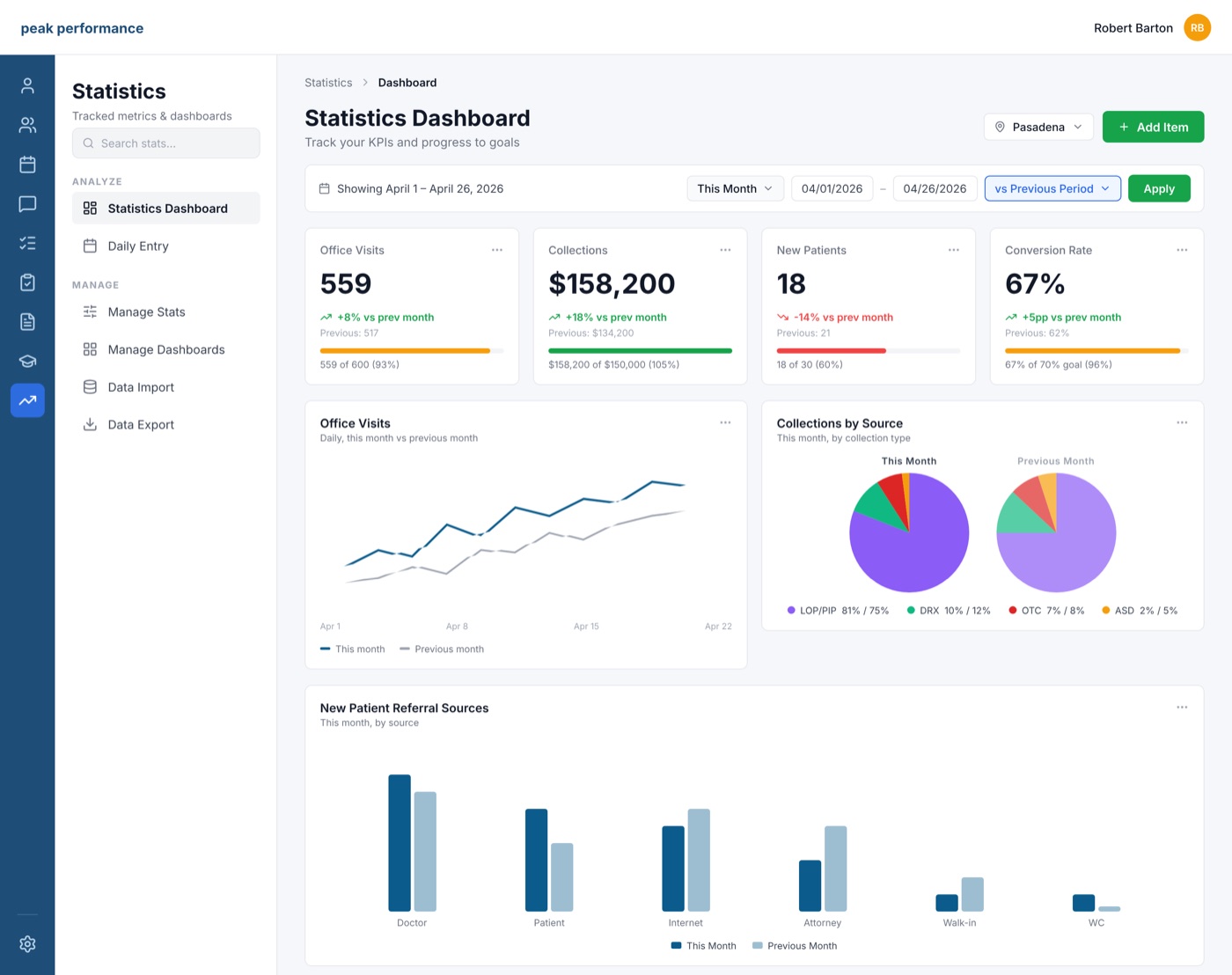
Dashboards for the numbers your practice actually runs on, with goals and thresholds you set. Checklist completion rates, training progress, hours worked — visible at a glance, by location, by person, over time.

Book a Demo →
Statistics dashboard with goals and trends
Goals, thresholds, and trends — at a glance.

Fair warning: this is not magic

Office Automated won't run your practice for you. You get out of it exactly what you put into it. Writing down your standards is work. Holding people to them is work. The practices that thrive on Office Automated are the ones willing to do that work — and what they get back is an office that runs the same way whether or not the owner is in the building.

If you're looking for software that fixes your office while you watch, this isn't it.
If you're ready to manage on purpose, this is the tool that makes it stick.

Book a Demo
Dr. Robert Barton, founder of Office Automated
The founder story

It started with a training I'd given a hundred times.

In 2012, one of our best employees came back to the practice after a couple of years away. I sat down to walk her through everything again — how we answer the phone, which cases we take, what to say when patients ask the hard questions — and it hit me:

I had delivered this exact training, from memory, over and over, for years. The standard existed. It just lived in my head.

Office Automated launched in 2014 to fix that:

One source of truth for how the office runs, a way to hold the team accountable to it, and the numbers to prove it's working. It's been running real practices ever since.

— Dr. Robert Barton Founder, Office Automated  ·  Read the full story →

Running real practices since 2014

★★★★★

OfficeAutomated allows me as the office manager to have everything I need in 1 login to hold my team accountable to what keeps our practice running smoothly. If we didn't have this as a tool, it would become a big operational problem to search for the solutions… not to mention the added cost over what we pay for OfficeAutomated.

— Amanda Office Manager · Peak Performance Sports Medicine · Pasadena, TX
★★★★★

We have been using OfficeAutomated for over a decade. While the original version did help bring together the many aspects of setting a standard and holding staff accountable, the new version has been a true pleasure to interact with. And with the addition of the AI tools embedded within the software, it has never been easier to set a high standard for our practice we can all be proud of.

— Kevin CEO · Arthritis Relief and Vascular Centers · San Antonio, TX
★★★★★

We have used OfficeAutomated to bring our team members together from day 1. We operate a team of call agents to answer missed new patient calls for practices. And our agents work remotely. So there is an incredible amount of information required to be available for our team members and OfficeAutomated provides the perfect platform for remote users to be on the same page with operational procedures.

— Brenna Operations Lead · WrightChat · Houston, TX
One tool, one login, one flat rate

Stop paying per employee for six different tools.

Manual, training, checklists, scheduling, time clock, PTO, reviews, messaging, stats — one login for each employee, everything included. And it's a flat rate for your practice, not a per-seat meter that punishes you for growing your team.

The Usual stack

Training platform $ per employee / mo
Scheduling app $ per employee / mo
Time clock & timesheets $ per employee / mo
Team chat $ per employee / mo
HR documentation $ per employee / mo
Dashboard & reporting $ per employee / mo
6 logins6 invoices × headcount
Everything included

OfficeAutomated

  • Office manual
  • Training & curriculum
  • Time clock & timesheets
  • PTO & reviews
  • Daily checklists
  • Message center
  • Task Manager
  • Statistics
  • Scheduling
One flat rate for your practice.Sized to your team. One login each.

Your platform, your name on the door

Your team doesn't log into "Office Automated" — they log into your practice's platform, with your logo, your colors, even your branding on the emails it sends. The standard is yours; the software should feel like it too.

Your Logo
Brand colors

Built for medical practices. At home in any small business.

If your business depends on a team doing things the right way every day — Office Automated fits. Same three steps, whatever your standard is.

See the three steps →

See it running before you commit to anything.

Book a demo and we'll walk you through it on a real practice setup — and tell you honestly whether it fits how you want to run your office.