Office Manual  ·  Step 1: Set the standard

Get your practice out of your head.

Every procedure, policy, and answer your team needs — written once, kept current, and impossible to lose to turnover.

  • Written once, followed by everyone
  • Read receipts on every policy
  • The standard survives turnover
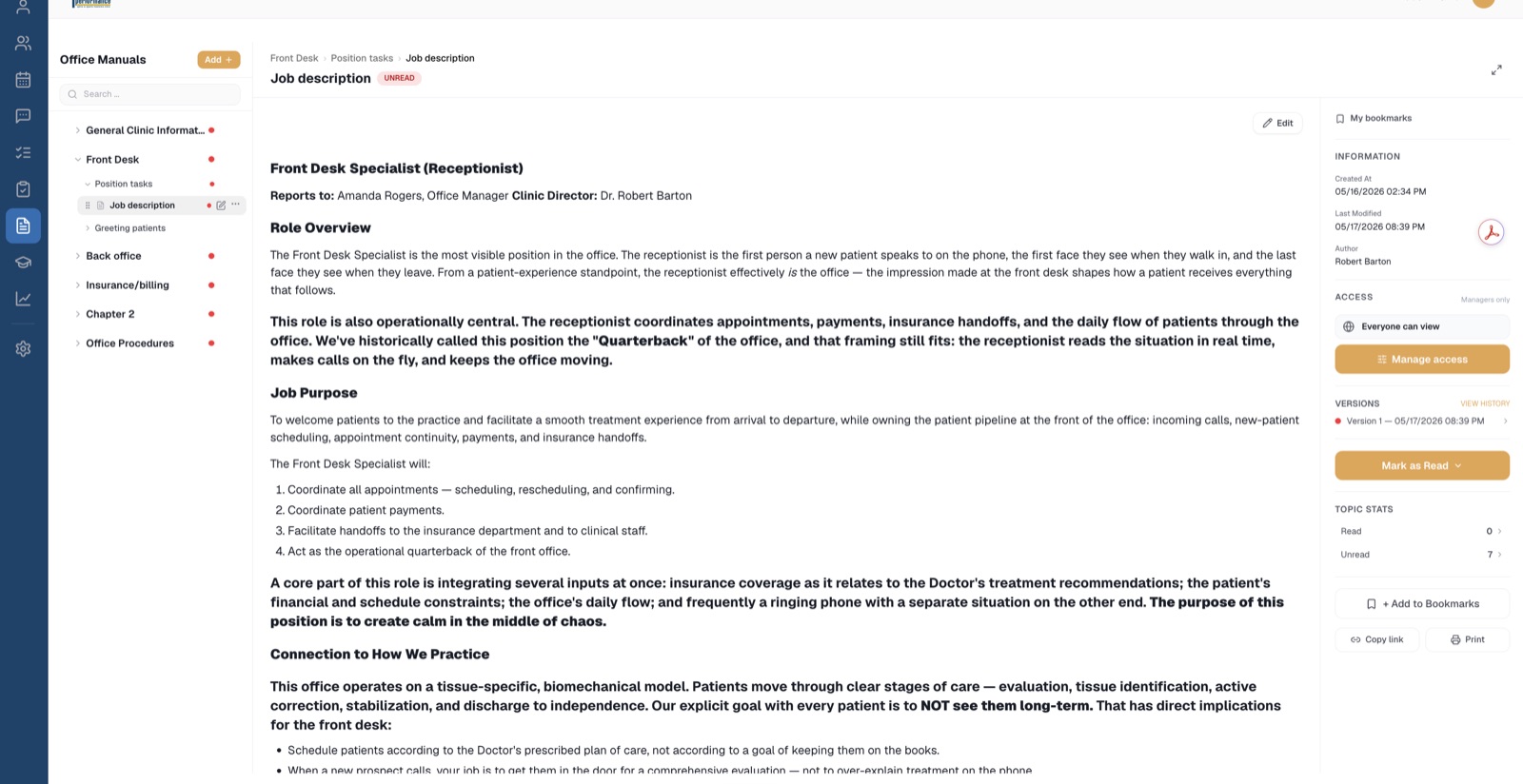
Office Manual — a real topic with read tracking and version history
Procedures written once, followed by everyone.
The Office Automated system

Every module does one of three jobs.

The Office Manual is where the standard gets set — the other two jobs build on it.

Without it

How the office runs lives in your head.

And in the heads of your longest-tenured staff. Training means repeating yourself, differently every time. Two hires get two different versions of the job.

The binder on the shelf hasn't been opened since the last office manager left — and she's the one who wrote it.

When someone leaves, everything they knew leaves with them.
How we answer the phone in Karen's head
Which cases we take in the doctor's head
Insurance handoff steps in a 2019 binder
New-patient scripting nowhere
Opening & closing routine taped to the desk
What you get

A standard that doesn't depend on memory.

Stop repeating yourself

Write the training down once — with photos and video where words aren't enough — and every hire gets the same standard, whether it's their first week or a returning employee's re-onboarding.

When the standard changes, everyone actually knows

Update a topic and every team member is marked unread until they've read the new version. No more “nobody told me.”

The standard survives turnover

The manual belongs to the practice, not to whoever happens to remember. Version history means you can see how a policy evolved — and roll back a bad edit.

Everyone sees exactly what they should

Show a topic to the whole office, or only to the front desk, only to one location, only to specific people. Nothing more, nothing less.

Manual topic editor with access control and topic stats
Read: 0  ·  Unread: 7 — you'll know who's caught up.
Everything in the module

Built like a manual. Enforced like a system.

  • Chapters → sections → topics, organized and searchable
  • Rich-text editing with images, video, and audio
  • Read receipts that reset when a topic is updated
  • Version history with restore
  • Per-topic visibility by department, location, or individual
  • Favorites, bookmarks, and topic comments
  • Print-friendly output for offline reference
  • AI-assisted drafting — turn a rough description into a formatted topic, using your own AI account
Where it fits

The manual sets the standard. Checklists prove it's being followed.

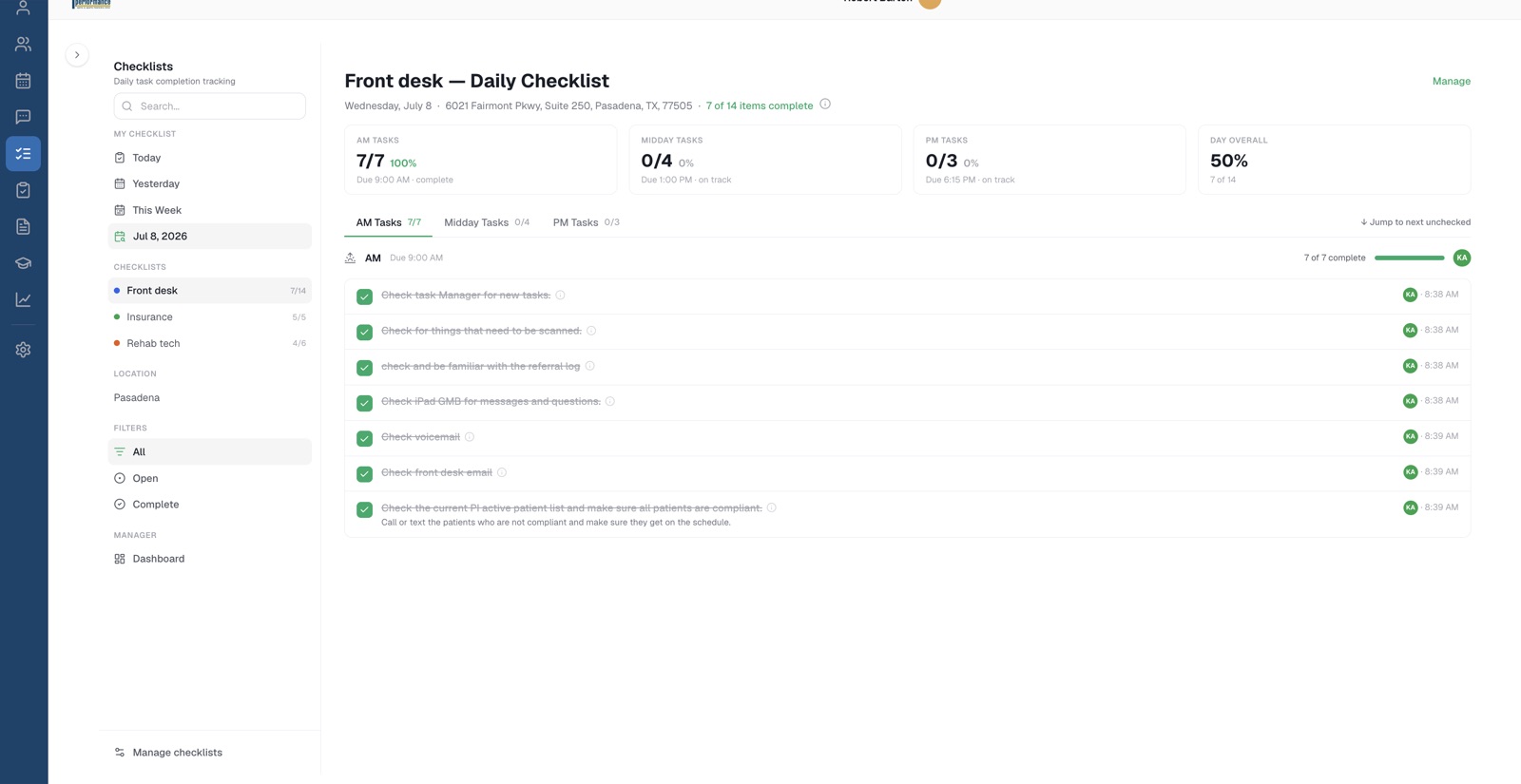
Step 1 is writing it down. Step 2 is holding your team to it — every morning, midday, and close, with a name and timestamp on every checkmark.

Next: Daily Checklists →
Daily Checklists — timestamped completions
★★★★★
The office manual is the living-breathing source for everything our company needs to run. With it, our team can look up the answer to their questions and take action without escalating their request up the chain of command. And the best thing is, if something needs to be changed, it is as easy as a quick re-version and message to the team to review and sign off. All impossible with a written manual.
— Karen Lead Call Agent · Peak Injury Clinics · Houston / San Antonio / New Braunfels, TX

Your standards, out of your head by Friday.

Book a demo and we'll show you the manual working on a real practice setup — and tell you honestly whether it fits how you want to run your office.