About Office Automated

Built in a practice, not a boardroom.

Office Automated is the system a practice owner built to run his own office — and has run it with, every day, since 2014.

  • Running real practices since 2014
  • Built and led by a practicing doctor
  • Used daily in our own office
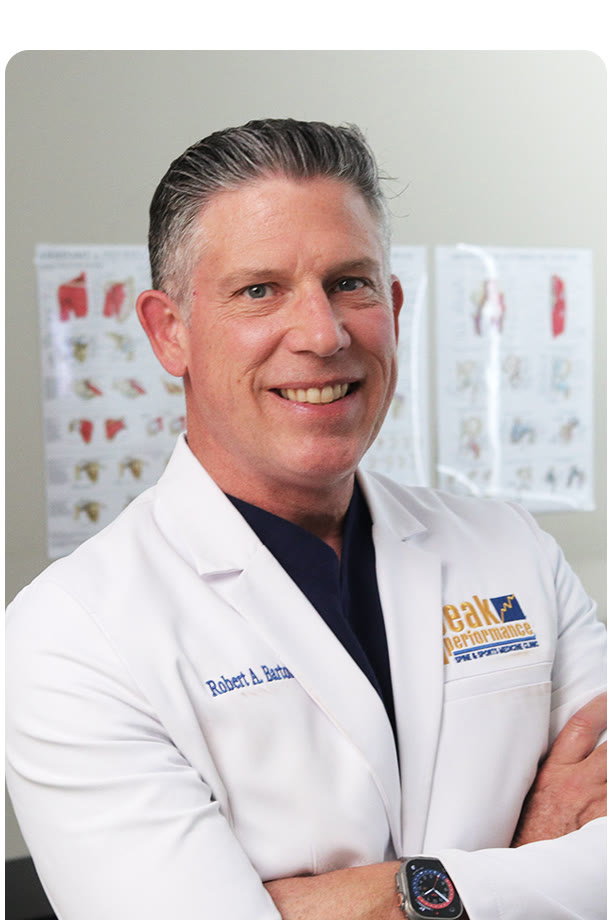
Dr. Robert Barton, founder of Office Automated
Dr. Robert Barton — Founder
The founder story, unabridged

It started with a training I'd given a hundred times.

In 2012, one of our best employees came back to the practice after a couple of years away. I sat down to walk her through everything again — how we answer the phone, which cases we take, what to say when patients ask the hard questions — and somewhere in that conversation it hit me:

I had delivered this exact training, from memory, over and over, for years. The standard existed. It just lived in my head.

Every practice owner knows that feeling. You have standards — you repeat them, you enforce them, you are personally the backup copy of every procedure in the building. Which means every hire, every absence, and every busy week erodes them a little. The office runs on you, and you can't scale you.

So I built the system I couldn't buy: one place to write the standard down, one place to hold the team to it, and one place to see whether it's working. Office Automated launched in 2014, running my own practice first and other practices soon after.

Here's the honest part: for years the software was good enough for us, but not something I was proud enough of to sell hard. So I mostly didn't. The practices that used it got real value — the ideas were always right — but the product needed to be rebuilt to match them. Starting in 2024, we did exactly that: a ground-up rebuild of every module, informed by a decade of daily use.

What's on this site now is the platform I always meant to build. Every screenshot you've seen is our own office, running on it today. And the first 50 practices to join us get founding terms — because the next chapter gets written with them.
— Dr. Robert Barton Founder, Office Automated
The long way here

Twelve years of running on it.

2012

The realization

Re-training a returning employee, from memory, one more time — and deciding that was the last time.

2014

Office Automated launches

First as the operating system for our own practice, then for its first client offices.

2014–2024

A decade of daily use

Manuals, checklists, training, and stats — refined by real front desks, not focus groups.

2024

The ground-up rebuild

We quietly stopped selling and rebuilt every module to match what a decade taught us.

Today

The founding chapter

The platform we always meant to build — and 50 founding seats to fill it with.

Proof, not promises

Every screenshot on this site is our own office.

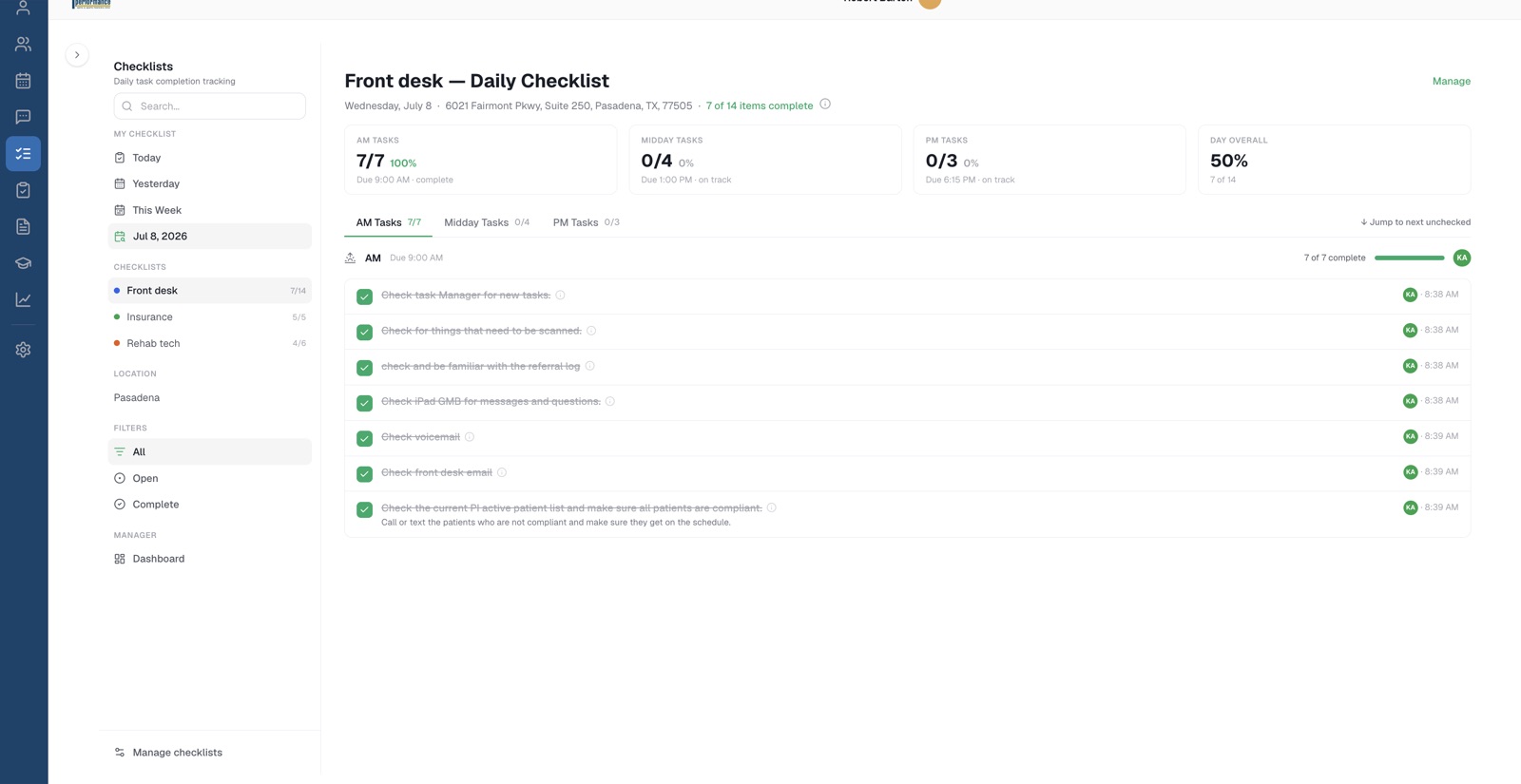
The checklists you saw are our front desk's actual morning. The manual topic is our real receptionist job description. The schedule is our week. We didn't stage a demo — we opened our own office and took pictures.

That's the standard we hold the product to: if a feature doesn't survive daily use in a real practice — ours — it doesn't ship.

Our own front desk's daily checklist, live in Office Automated
Our front desk. This morning.
What we believe

Software can't run your practice. A system can.

How we operate

The same standards we sell.

We use it every day

Our own practice runs on Office Automated — the same build you'd get. When something annoys our front desk, it gets fixed before it annoys yours.

Honest pricing

One flat rate sized to your team, month to month, no setup fees, no per-seat meter. The pricing page says everything out loud, including the founder discount math.

No magic promised

You get out of it what you put into it. Writing standards is work; holding people to them is work. We'll say that to your face on the demo, too.

We'll tell you if it's not a fit

A practice that won't do the work will churn — that's bad for both of us. If we don't think you'll thrive on it, we'll say so and part friends.

Come see the office it was built in.

Book a demo and we'll walk you through Office Automated on a real practice setup — ours — and tell you honestly whether it fits how you want to run yours.