Daily Checklists  ·  Step 2: Hold your team to it

The morning routine, done right — whether or not you’re there.

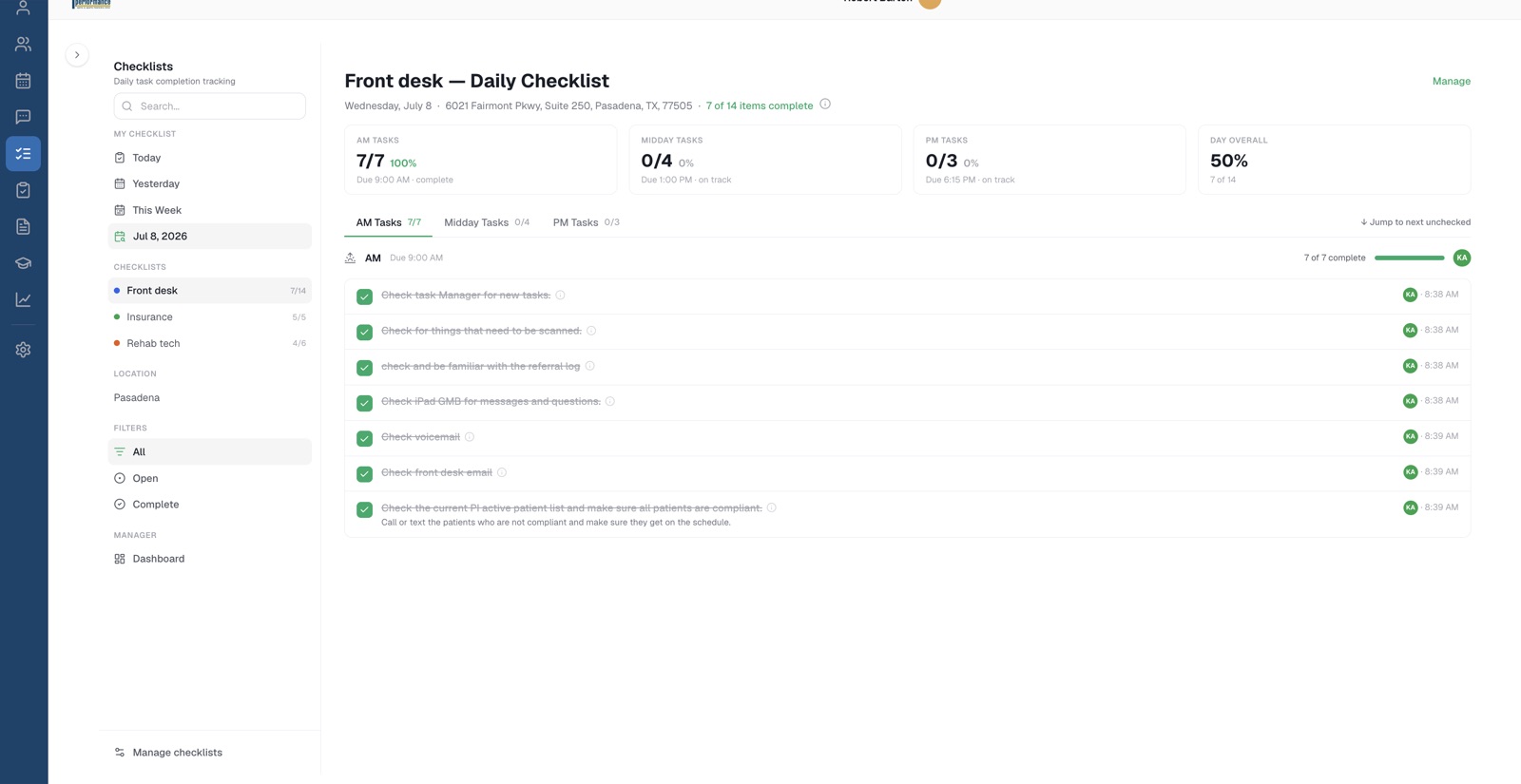
Every position gets its daily list — morning, midday, and close — and you see what got done, by whom, and when.

  • Every position knows today's list
  • A name and timestamp on every checkmark
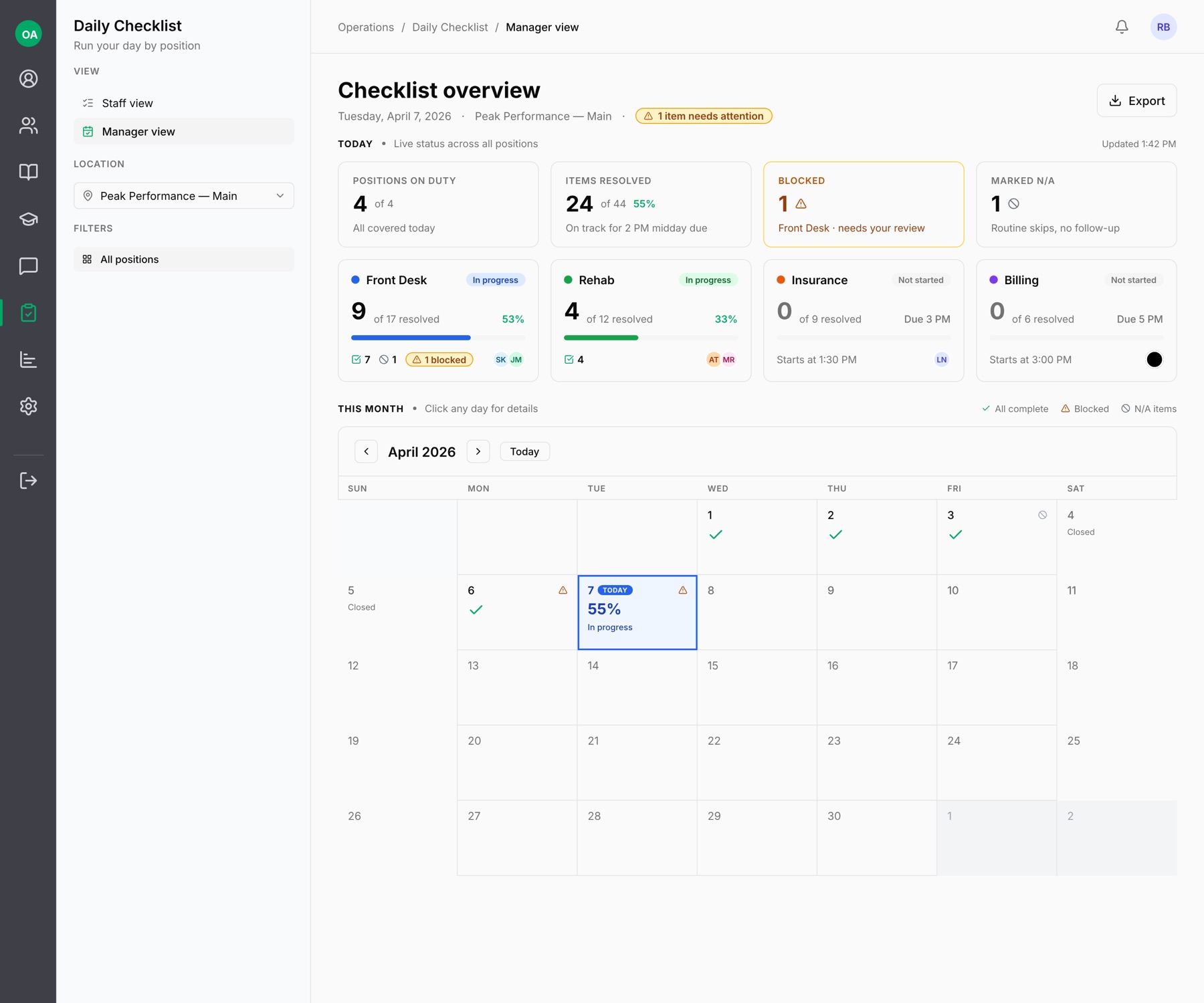
  • Live dashboard across the office
Daily Checklists — front desk daily list with timestamped completions
Every checkmark has a name and a timestamp.
The Office Automated system

Every module does one of three jobs.

Daily Checklists are where the standard gets held — every single day.

Without it

The opening routine is a laminated sheet.

Enforcement is you noticing what didn't happen. By the time you notice, it's Thursday, the autoclave log has a three-day gap, and nobody remembers whose day it was.

“I thought Sarah did it” is the closest thing to a record.

You find out what got skipped when it becomes a problem.
Opening routine laminated sheet
Midday tasks verbal reminders
Closing routine “I thought Sarah did it”
Skipped items discovered next week
Who did what no record
What you get

Consistent execution, visible from anywhere.

No task depends on memory

Items are scheduled by position, day of week, and time of day. The list generates itself fresh every morning.

See the whole office at a glance

A live dashboard shows what's done, what's late, and what's blocked — across every position and location.

Accountability without hovering

Every checkmark carries a name and a timestamp. Items marked late, blocked, or not-applicable require a reason.

The same standard at every location

One set of checklists, consistent execution everywhere you operate.

Manager view — live checklist status across all positions
The manager view: every position's day, live.
Everything in the module

Simple for staff. Revealing for you.

  • Checklists per position
  • Morning / midday / close deadlines
  • Day-of-week scheduling
  • Required items
  • Complete, late, blocked, and N/A statuses — with reasons
  • Name and timestamp on every completion
  • Live completion dashboard
  • Full history for every day
Where it fits

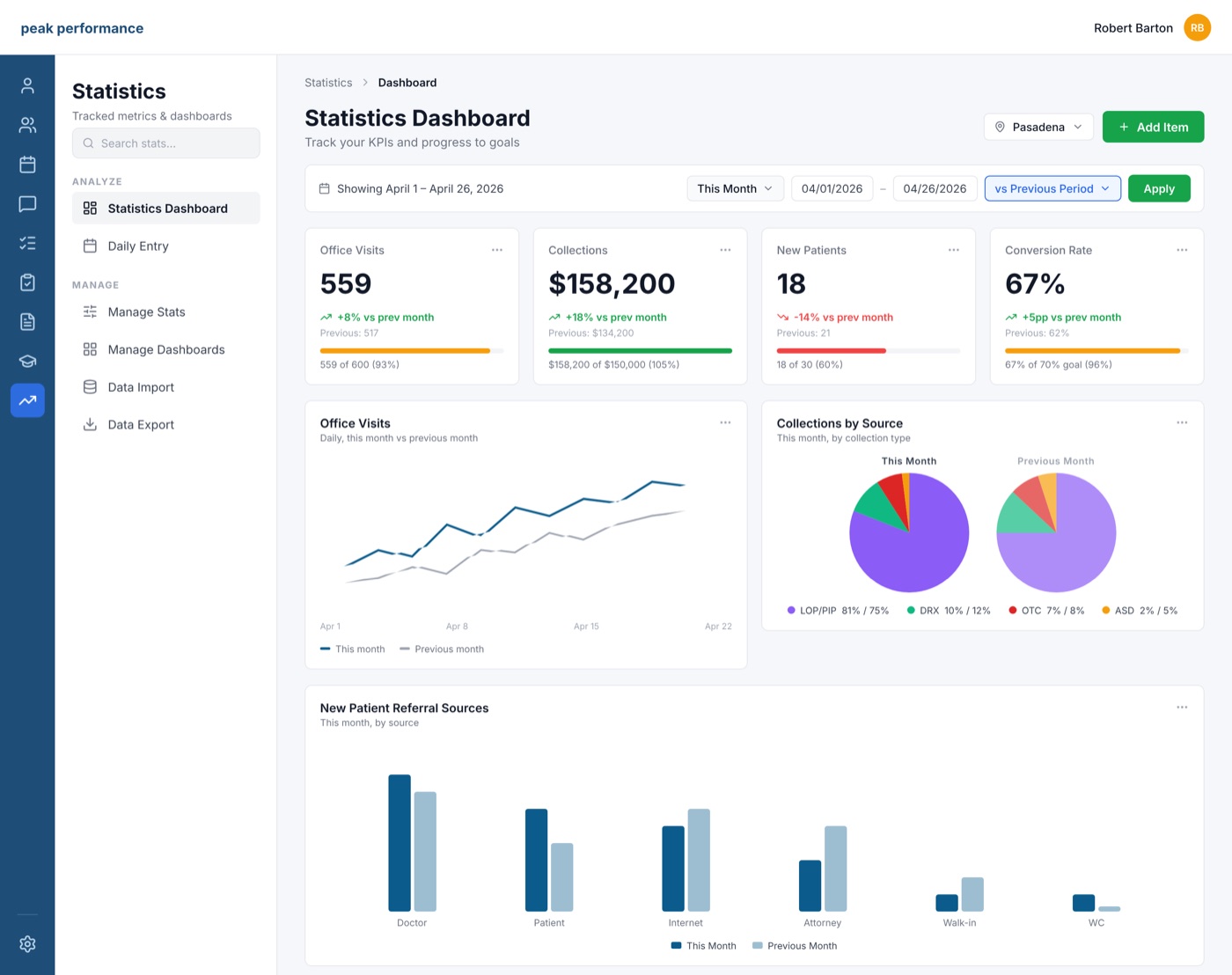
Checklists hold the line. Statistics show the trend.

Completion rates feed straight into your dashboards — so a slipping morning routine shows up as a number, not a surprise.

Next: Statistics →
Statistics dashboard
★★★★★
Testimonial slot — a practice owner on what changed when the daily routine stopped depending on who remembered.
— Name, Practice
Placeholder — collecting customer quotes now.

Tomorrow morning, on the record.

Book a demo and we'll show you daily checklists working on a real practice setup — and tell you honestly whether it fits how you want to run your office.